
Are you tired of the Sirius XM subscription charges on your car bill? Maybe you no longer use the service, or you want to switch to something else.
Whatever your reason, removing Sirius XM from your car can save you money and simplify your audio options. But how exactly do you do it without hassle? You’ll discover clear, step-by-step instructions to remove Sirius XM from your car quickly and easily.
Keep reading, and you’ll take control of your car’s entertainment system in no time.

Credit: www.youtube.com
Check Your Subscription Status
Start by checking your Sirius XM subscription status online or through your car’s system. This helps know if the service is active before removal. Confirming your subscription avoids unwanted charges after disconnecting Sirius XM.
Locate Account Details
Start by finding your Sirius XM account information. Check your email for registration messages. Look for your username or account number. You can also find details on your billing statements. Having this info ready makes managing your subscription easier.
Identify Subscription Type
Understand what subscription you have. Sirius XM offers several plans with different features. Some include music only, others add sports or news channels. Knowing your plan helps decide how to remove or cancel it. Check if your subscription is active or expired.
Contact Siriusxm Customer Service
Contacting SiriusXM customer service is a direct way to remove the service from your car. The support team can guide you through the cancellation steps. They help ensure you stop getting charged and disconnect the service correctly. There are a few ways to reach them, making it easy to find help that fits your schedule.
Call Customer Support
Call SiriusXM’s customer support to speak with a representative. This method allows quick answers and clear instructions. Have your account information ready for faster service. The representative can confirm your subscription details and guide you through cancellation. Phone support usually works best for urgent requests.
Use Online Chat Or Email
Use online chat or email if you prefer writing over talking. The chat option connects you to a live agent in real time. Email lets you send your request and get a reply later. Both options provide a paper trail of your cancellation request. They work well for non-urgent questions or if calling is difficult.
Unsubscribe Through Your Online Account
Unsubscribing from SiriusXM through your online account is a quick and easy way to stop your subscription. You do not need to call customer service or wait on hold. Just a few clicks can end your service.
Managing your subscription online gives you full control. You can view your plan details and choose the right option to cancel. The process is secure and available anytime.
Log Into Siriusxm Account
Start by visiting the official SiriusXM website. Enter your username and password carefully. If you forgot your password, use the recovery option. Once logged in, you will see your account dashboard.
Navigate To Subscription Settings
Find the menu labeled “Subscription” or “Account Settings.” Click on it to open your subscription details. Look for the “Cancel Subscription” option. Follow the prompts to confirm your cancellation. Save any confirmation emails for your records.

Credit: www.reddit.com
Remove Siriusxm Hardware From Your Car
Removing SiriusXM hardware from your car is a simple task. It involves finding the right parts and disconnecting them carefully. This process helps avoid damage to your car’s system and keeps everything neat.
Follow these steps to remove the SiriusXM device properly. Take your time and work patiently for the best result.
Locate The Satellite Radio Module
The first step is to find the SiriusXM module in your car. It is often under the dashboard or near the glove box. Check around the center console or behind panels.
This small box connects the radio to your car’s system. Look for a device with wires plugged into it. It might have a label saying “SiriusXM” or “Satellite Radio.”
Unplug And Detach The Device
After locating the module, unplug the wires carefully. Press any clips or tabs to release the connectors. Do not pull on the wires directly to avoid damage.
Once unplugged, remove the module from its place. It may be held by screws or clips. Use a screwdriver if needed to loosen any fasteners.
Keep the parts safe if you plan to reinstall them later. Otherwise, you can dispose of the hardware following local guidelines.
Cancel Automatic Payments
Cancelling automatic payments for Sirius XM is a key step to stop charges. This stops money from being taken after you remove the service from your car. You must check your payment details and stop recurring billing to avoid unwanted fees.
Review Payment Methods
First, check which payment method you used for Sirius XM. This could be a credit card, debit card, or bank account. Look for your Sirius XM charges on your bank or card statements. Make sure you know which account pays the subscription.
Log in to your Sirius XM account online. Go to the billing or payment section. Verify the payment methods listed there. Note any active cards or accounts linked to your subscription.
Stop Recurring Charges
After finding your payment method, stop the automatic payments. You can do this by canceling the subscription through your Sirius XM account. Look for an option like “Cancel Subscription” or “Stop Auto-Renew.”
If you do not find the option, contact Sirius XM customer service. Ask them to cancel your automatic payments. Confirm that no future charges will be made.
Check your bank or card statements after cancellation. Make sure no new Sirius XM charges appear. If charges continue, contact your bank to block further payments.
Confirm Cancellation And Verify Charges
After you cancel your Sirius XM subscription, confirming the cancellation is very important. This step ensures your service ends as planned. It also helps avoid unexpected charges on your account. Always verify your billing to stay on top of your finances.
Check For Confirmation Email
Sirius XM usually sends a confirmation email after cancellation. Check your inbox and spam folder for this message. The email confirms your subscription has ended. Keep this email for your records. It acts as proof of cancellation.
Monitor Bank Statements
Watch your bank or credit card statements closely. Look for any charges from Sirius XM after your cancellation date. If you see unexpected fees, contact Sirius XM customer service. Early detection helps you avoid extra costs. Keep a record of all payments and cancellations for safety.
Explore Alternatives To Siriusxm
Removing SiriusXM from your car opens a chance to explore other audio options. Many drivers want good music and news without a subscription. Several alternatives offer free or low-cost entertainment. These choices can fit different tastes and budgets.
Use Streaming Apps
Streaming apps offer a wide range of music and podcasts. Apps like Spotify, Pandora, and Apple Music provide playlists and radio stations. Most apps have free versions with ads or paid versions without ads. You can create your own playlists or listen to curated lists. Connect your phone to the car’s audio system using Bluetooth or a USB cable. Streaming apps give you control over what you hear and when.
Try Local Radio Stations
Local radio stations provide news, weather, and music for free. They play a mix of popular hits and community information. Use your car radio to find stations that match your preferences. Local stations often have live DJs and special shows. This option requires no subscription and uses your car’s built-in radio. It’s a simple way to enjoy variety without extra costs.
Credit: www.youtube.com
Frequently Asked Questions
How Do I Cancel Sirius Xm Subscription In My Car?
To cancel, log into your Sirius XM account online. Navigate to the subscription settings and select cancel. You can also call Sirius XM customer service for assistance. Ensure your subscription is fully canceled to avoid future charges.
Can I Remove Sirius Xm Without Dealer Help?
Yes, you can remove Sirius XM by unplugging the XM tuner from your car’s audio system. This disables the service without dealer intervention. However, subscription cancellation must be done through Sirius XM directly.
Will Removing Sirius Xm Affect My Car Stereo?
Removing Sirius XM typically does not affect your car stereo’s basic functions. Your radio and CD player will work as usual. Only the satellite radio service will be disabled or removed.
How To Disable Sirius Xm Without Uninstalling Hardware?
You can disable Sirius XM by canceling the subscription online or via phone. This stops the service while keeping the hardware installed. The tuner will no longer receive satellite broadcasts.
Conclusion
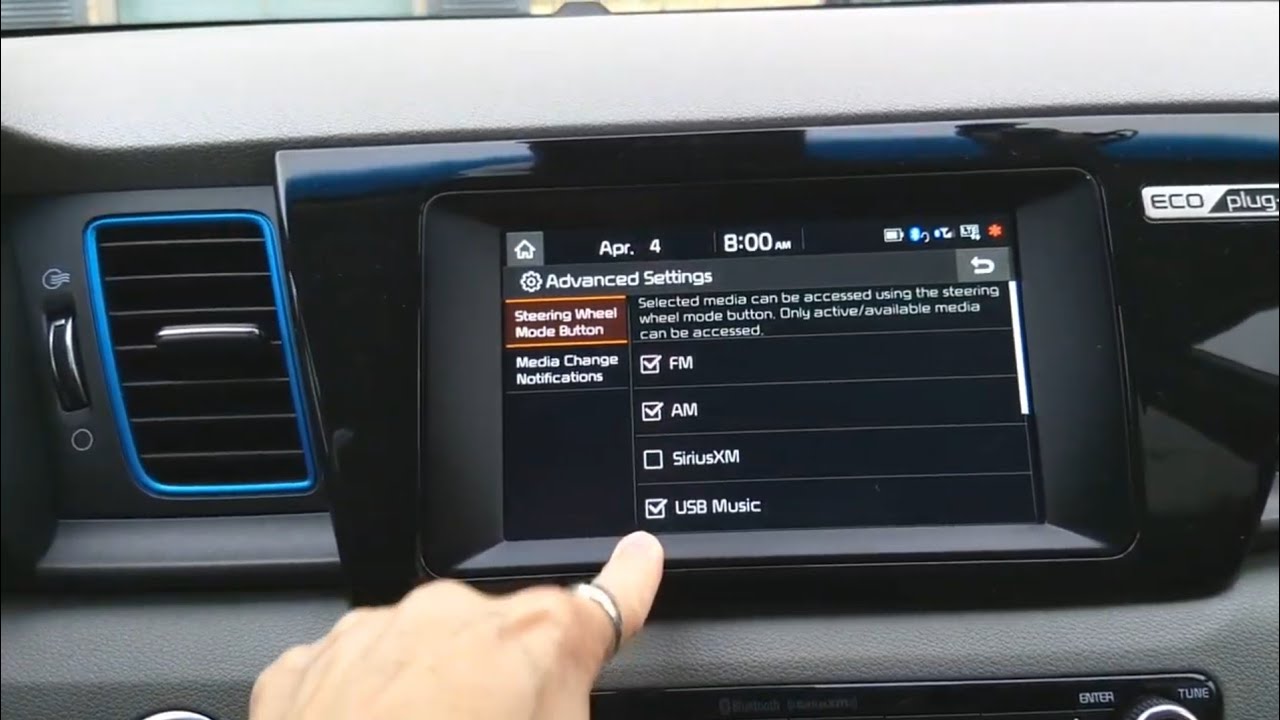
Removing Sirius XM from your car is simple and quick. Just follow the steps carefully and stay patient. Unsubscribing and disconnecting the device stops charges. Double-check your car’s settings to ensure the service is off. This helps avoid surprise fees later.
Now, enjoy your car without unwanted radio service. Taking control of your subscriptions saves money and stress. Keep your car’s entertainment just how you want it. Easy and clear—no extra hassle needed.


