

If your 2003 Durango is making squeaking noises or you feel vibrations when braking, it might be time to change your brake rotors. You don’t have to spend a fortune at the mechanic to fix this.
With the right steps, you can replace your brake rotors yourself and get your Durango stopping smoothly again. In this guide, you’ll find clear, simple instructions that anyone can follow—even if you’re not a car expert. Keep reading, and by the end, you’ll have the confidence and know-how to tackle this important repair on your own.
Tools And Materials Needed
Changing brake rotors on a 2003 Durango requires specific tools and parts. Having the right equipment makes the job easier and safer. Prepare everything before starting the work to avoid interruptions. Here is a list of what you need.
Essential Tools
A good jack and jack stands are a must for lifting the vehicle safely. Use a lug wrench to remove the wheel nuts. A socket set with ratchet helps in removing caliper bolts. A C-clamp or brake caliper tool presses the brake piston back. A hammer or rubber mallet assists in loosening stuck rotors. A wire brush cleans rust and debris from parts. A torque wrench tightens bolts to the right specification.
Replacement Parts
Buy new brake rotors designed for the 2003 Durango. Choose rotors that match your vehicle’s size and brake type. Replace brake pads together with the rotors for best performance. Consider new caliper bolts if the old ones look worn out. Use anti-seize lubricant to prevent rotor rust and ease future removal.
Safety Gear
Wear safety glasses to protect your eyes from dust and debris. Use mechanic gloves to keep your hands safe and clean. Wear a dust mask to avoid breathing brake dust. Use sturdy shoes to protect your feet. Keep a fire extinguisher nearby in case of emergencies.
Preparing The Vehicle
Preparing your 2003 Durango before changing brake rotors is important. It helps keep you safe and makes the job easier. This step-by-step guide will show how to get ready properly.
Parking And Securing
Park your Durango on a flat, solid surface. Avoid slopes or soft ground. Turn off the engine and set the parking brake. Place wheel chocks behind the wheels to stop any movement. This keeps the vehicle steady while you work.
Loosening Lug Nuts
Before lifting the vehicle, slightly loosen the lug nuts on the wheel. Use a lug wrench and turn the nuts counterclockwise. Do not remove them completely yet. Loosening now saves effort later when the wheel is off the ground.
Lifting The Durango
Locate the jacking points under the Durango. Use a hydraulic jack to raise the vehicle slowly. Lift it high enough so the wheel clears the ground. Place jack stands under the frame to support the vehicle securely. Never work under a car only supported by a jack.
Removing The Wheel And Brake Components
Removing the wheel and brake parts is the first step to change brake rotors on a 2003 Durango. This process lets you access the brake system safely and easily. Follow each step carefully to avoid damage and ensure safety.
Taking Off The Wheel
Start by loosening the lug nuts with a wrench. Do this before lifting the vehicle. Use a jack to raise the Durango. Place jack stands under the frame for support. Now, remove the loosened lug nuts completely. Pull the wheel straight off the hub. Set the wheel aside in a safe place.
Detaching The Brake Caliper
Locate the brake caliper attached to the rotor. Remove the bolts holding the caliper with a socket wrench. Carefully slide the caliper off the rotor. Do not let the caliper hang by the brake hose. Use a hanger or rest it on a solid surface nearby.
Removing The Brake Pads
The brake pads sit inside the caliper bracket. Pull the pads out gently. Check their condition for wear. Set the pads aside if you plan to reuse them. Otherwise, prepare new pads for installation later.
Accessing The Rotor
With the caliper and pads removed, the rotor is now visible. Sometimes, a few screws hold the rotor in place. Use a screwdriver to remove these screws. Pull the rotor off the wheel hub. Clean the hub surface before installing the new rotor.

Credit: www.youtube.com
Taking Off The Old Rotor
Taking off the old rotor is the first key step in changing brake rotors on a 2003 Durango. This task needs care to avoid damage to other parts. Follow each step carefully for a smooth process. Removing the old rotor prepares your vehicle for the new one.
Start by securing the vehicle and removing the wheel. This gives full access to the brake assembly. Be sure to work in a safe space with the right tools at hand.
Removing Retaining Screws
Locate the small screws holding the rotor in place. Use a suitable screwdriver or bit to remove them. These screws keep the rotor fixed to the hub. Turn counterclockwise with steady pressure. Avoid stripping the screw heads. Set the screws aside for reuse or replacement.
Handling Rust Or Stuck Rotors
Rust can cause the rotor to stick tightly. Spray some penetrating oil around the hub and rotor area. Let it sit for 10-15 minutes. Gently tap the rotor with a rubber mallet. This loosens rust and breaks the bond. Never use excessive force to avoid damage. If the rotor still won’t budge, repeat the process or seek help.
Cleaning The Hub Surface
Once the rotor is off, clean the hub surface well. Use a wire brush to remove rust and dirt. Wipe the area with a clean cloth. A smooth, clean hub helps the new rotor fit perfectly. Check for any damage or wear before installing the new part.
Installing The New Rotor
Start by placing the new rotor onto the hub carefully. Make sure it sits flat and aligns with the bolt holes. Tighten the bolts securely to hold the rotor in place.
Positioning The New Rotor
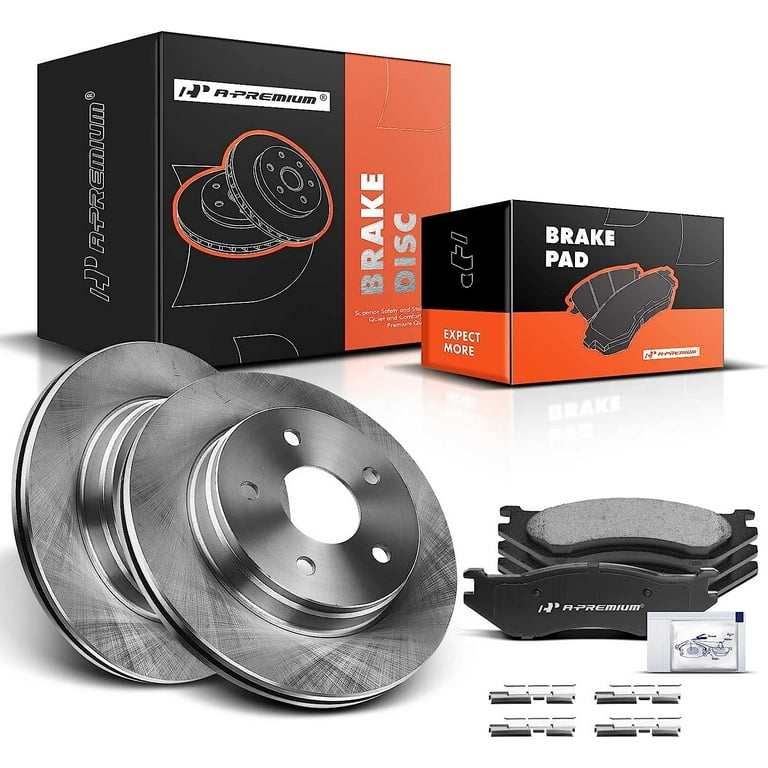
Start by placing the new rotor onto the wheel hub. Make sure it fits snugly and sits flat against the hub surface. Align the holes in the rotor with the bolts or studs on the hub. This step is important for proper brake function and safety. Take your time to avoid any misalignment that can cause problems later.
Securing With Retaining Screws
Use the retaining screws to hold the rotor in place. Insert each screw into its hole and tighten it by hand first. Then, use a screwdriver to secure them firmly. Do not overtighten, as this can damage the rotor or screws. These screws keep the rotor stable during the brake pad installation and wheel mounting.
Credit: www.walmart.com
Reassembling Brake Components
Reassembling the brake components is a key step after changing the brake rotors. It ensures your Durango stops safely and smoothly. This process must be done carefully to avoid brake problems later. Follow each step closely for the best results.
Reinstalling Brake Pads
Start by placing the brake pads back into the caliper bracket. Make sure they fit snugly and do not move. Check the pads for any wear or damage before reinstalling. Use brake grease on the back of the pads to reduce noise. Press the pads firmly to seat them correctly.
Mounting The Brake Caliper
Carefully position the brake caliper over the new rotor and pads. Align it with the mounting holes on the caliper bracket. Insert the caliper bolts and tighten them by hand first. Use a torque wrench to tighten bolts to the manufacturer’s specs. Ensure the caliper moves smoothly without binding.
Checking Brake Line Condition
Inspect the brake line for cracks, leaks, or damage. Make sure the line is securely attached and not rubbing against any parts. Replace the brake line if you see any signs of wear. Proper brake line condition is crucial for safe braking. Confirm there are no leaks before finishing the job.
Finishing Up
After installing the new brake rotors on your 2003 Durango, the final steps are crucial. These steps ensure the brake system works safely and the vehicle is ready to drive. Follow each step carefully to finish the job correctly.
Putting The Wheel Back
Place the wheel onto the hub, aligning the holes with the lug studs. Push the wheel firmly to seat it against the rotor. This prevents wobbling when you tighten the nuts.
Tightening Lug Nuts Properly
Hand-tighten the lug nuts first to hold the wheel in place. Use a lug wrench or torque wrench to tighten nuts in a star pattern. This method applies even pressure to the wheel. Check the vehicle manual for the correct torque value.
Lowering The Vehicle
Slowly lower the Durango using the jack until the tires touch the ground. Remove the jack once the vehicle is fully supported. Avoid driving with the jack still in place.
Testing Brake Functionality
Press the brake pedal several times to restore pressure in the brake lines. Make sure the pedal feels firm and responsive. Drive slowly in a safe area to test braking performance. Listen for unusual noises and check the brake response.
Tips For Maintenance And Safety
Maintaining brake rotors on a 2003 Durango is essential for safe driving. Proper care keeps the brakes working well and prevents costly repairs. Follow simple tips to ensure your brake system stays in top shape. Safety should always be your priority when handling brake parts.
Regular Brake Inspections
Check your brakes regularly to spot problems early. Look at the rotors, pads, and calipers for damage or wear. Inspect both sides of the rotor for uneven wear or grooves. Clean off dust and dirt to avoid buildup that harms braking power. Schedule inspections every few months or after heavy use.
Signs Of Rotor Wear
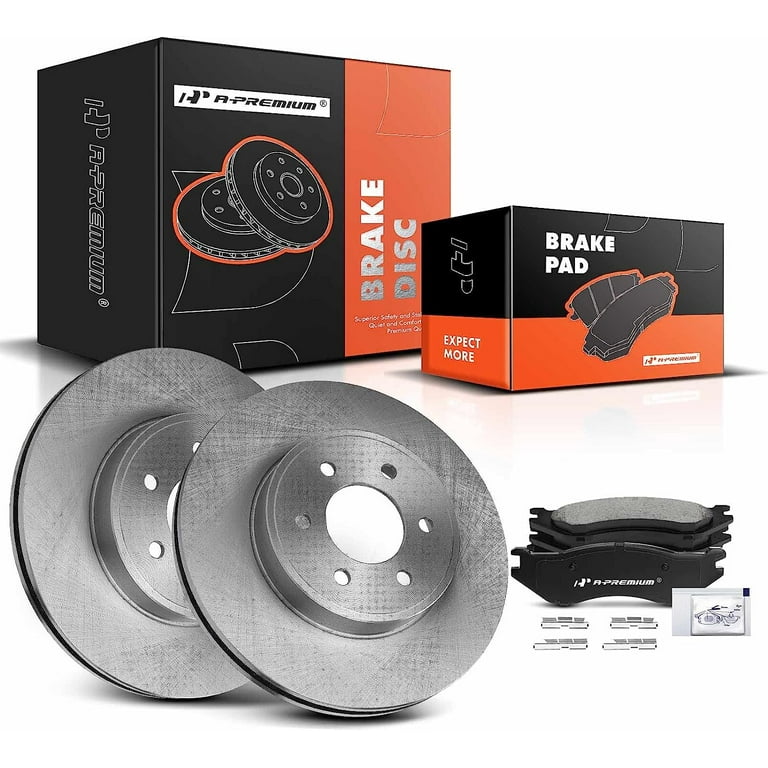
Listen for squealing or grinding sounds when braking. Feel for vibrations or pulsing in the brake pedal. Notice if stopping distance grows longer than usual. Visible grooves, cracks, or rust on the rotor surface are warning signs. These signals mean it is time to replace or resurface rotors.
When To Seek Professional Help
Some brake issues need expert care. If you see deep rotor damage or hear loud noises, visit a mechanic. Complex problems with the brake system can affect your safety. Professionals have tools and knowledge to fix issues correctly. Don’t delay repairs to avoid bigger risks on the road.
Credit: www.walmart.com
Frequently Asked Questions
How Often Should I Change Brake Rotors On A 2003 Durango?
Brake rotors typically last 30,000 to 70,000 miles. Inspect them regularly for wear or damage. Replace if warped, cracked, or below thickness specs for safe braking.
What Tools Are Needed To Change Durango Brake Rotors?
You need a jack, lug wrench, socket set, C-clamp, and screwdriver. Also, use brake cleaner and anti-seize lubricant. These tools help safely remove and install rotors.
Can I Change Brake Rotors Without Removing The Caliper?
No, you must remove the caliper to access the rotors. Removing the caliper allows safe rotor removal and prevents brake system damage.
How Do I Prevent Brake Noise After Rotor Replacement?
Clean rotor and hub surfaces before installation. Apply anti-seize on the hub. Ensure proper torque on lug nuts. Proper installation reduces noise and vibration.
Conclusion
Changing brake rotors on a 2003 Durango is a clear process. Follow each step carefully to ensure safety and success. Take your time and use the right tools. Check your work before driving. Properly installed rotors improve braking and vehicle control.
Regular maintenance keeps your Durango running smoothly. Trust yourself to handle this task well. Stay safe and enjoy a smoother ride.


