

Do you wish your old car could feel like new again? Imagine having all the smart features of the latest models—maps, music, calls—right at your fingertips while you drive.
Getting CarPlay in your old car might sound complicated or expensive, but it doesn’t have to be. You’ll discover simple and effective ways to bring Apple CarPlay into your vehicle, making every drive safer and more enjoyable. Ready to upgrade your ride without buying a new car?
Keep reading, and you’ll learn exactly how to do it.
Benefits Of Carplay In Older Cars
Adding CarPlay to an older car brings many benefits. It updates your vehicle with modern technology. This makes driving easier and more enjoyable. You get access to features that improve comfort and safety. CarPlay helps connect your phone to the car’s system smoothly.
Improved Connectivity
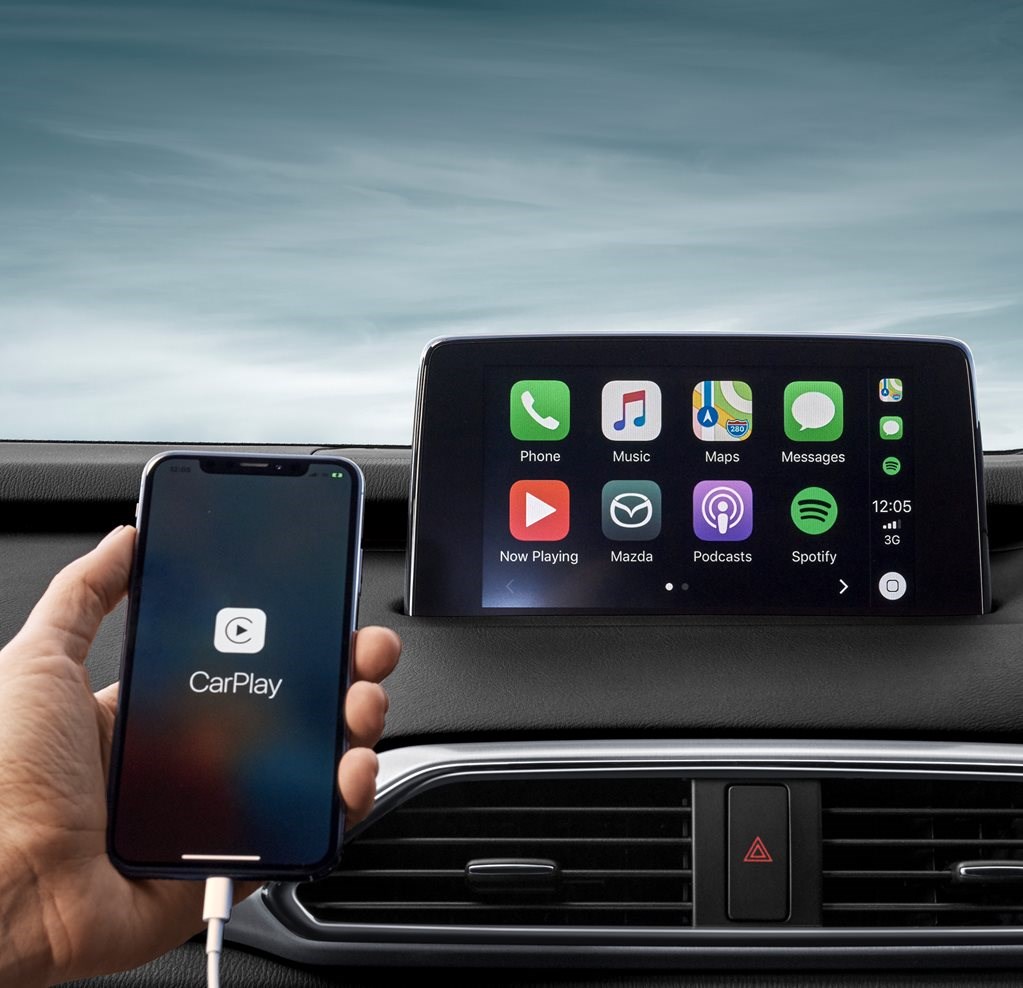
CarPlay connects your iPhone to the car’s display. You can make calls, send messages, and listen to music hands-free. The system works with Siri, so you control it by voice. This reduces distractions and keeps your focus on the road. It also supports many apps, keeping you connected during your drive.
Enhanced Safety
CarPlay helps you drive safer by limiting phone use. It reads messages aloud and lets you reply with voice commands. This means less looking down at your phone. The interface is simple and easy to use. It reduces the chance of accidents caused by distractions.
Access To Apps And Navigation
CarPlay offers access to popular apps right on your car’s screen. You get real-time navigation with Apple Maps or other supported apps. Traffic updates and route guidance help you avoid delays. You can also enjoy music, podcasts, and audiobooks during your trip. This makes long drives more pleasant and less stressful.
Check Compatibility With Your Vehicle
Adding CarPlay to an old car starts with checking if your vehicle can support it. Not all cars work with CarPlay, so you must check your car’s compatibility first. This step saves time and helps choose the right upgrade option.
Compatibility depends on your car’s make, model, and built-in system. Learn these details before buying any CarPlay device or accessory. This way, you avoid costly mistakes and ensure a smooth installation.
Identify Your Car’s Make And Model
Find your car’s exact make and model. Check the owner’s manual or look at the car’s registration. Write down the year of manufacture too. These details matter for CarPlay compatibility.
CarPlay support varies by brand and model year. Newer models may support it natively, while older ones might need an aftermarket system. Knowing your car’s specifics helps find the best solution.
Determine Factory System Limitations
Check your car’s current audio system. Some older systems do not support CarPlay. Look for touchscreen displays or USB ports, as these often indicate potential compatibility.
Find if your car has an OEM infotainment system. Factory limitations may prevent direct CarPlay installation. In such cases, aftermarket head units or adapters work better.
Knowing these limits helps pick the right CarPlay upgrade. This step avoids buying devices that won’t fit or function properly in your vehicle.
Choose The Right Carplay Upgrade Options
Choosing the right CarPlay upgrade option is key for old cars. It affects how well CarPlay works and fits your car’s style. Some options need more work, others are simple plug-ins. Knowing the pros and cons helps pick the best choice for you.
Think about your budget and how much time you want to spend on installation. Also, consider if you want wired or wireless CarPlay. Each upgrade offers different features and ease of use.
Aftermarket Head Units
Aftermarket head units replace your old car stereo. They have built-in CarPlay support. This option offers the best experience with a large screen and touch controls.
Installation may need a professional and some car modifications. It works well for cars with outdated or broken stereos. Many models support both wired and wireless CarPlay.
Wireless Carplay Adapters
Wireless CarPlay adapters connect to your car’s existing USB port. They turn wired CarPlay into wireless. This option is easy to install and cost-effective.
Adapters suit cars that already have a CarPlay-ready head unit but need wireless freedom. Some models may have slight delays or connection drops.
Smartphone Mount Alternatives
Smartphone mounts hold your phone on the dashboard. They let you use CarPlay through your phone’s screen. This is the simplest and cheapest choice.
Mounts don’t change your car’s stereo but require using your phone for navigation and apps. This option works well for occasional CarPlay use or short drives.
Credit: www.carmagazine.co.uk
Installation Tips For Aftermarket Systems
Installing an aftermarket CarPlay system in an old car can be a smart upgrade. It brings modern features to your vehicle. Proper installation helps avoid damage and ensures the system works well. Follow clear steps and prepare the right tools for a smooth process.
Tools And Materials Needed
- Screwdrivers (flathead and Phillips)
- Wire strippers and cutters
- Electrical tape or wire connectors
- Trim removal tools
- Multimeter for testing wires
- Aftermarket CarPlay head unit
- Wiring harness compatible with your car
- Mounting brackets (if required)
Step-by-step Installation Guide
Start by disconnecting the car battery to avoid electrical shocks. Remove the dashboard trim carefully using trim removal tools. Unscrew the existing stereo and disconnect its wiring. Connect the wiring harness to the new CarPlay unit. Match each wire correctly to avoid problems. Secure the head unit with screws or brackets. Reattach the dashboard trim and reconnect the battery. Turn on the car and test the new system thoroughly.
Professional Installation Vs Diy
DIY installation saves money and gives control over the process. It requires patience and basic technical skills. Mistakes can cause damage or poor system performance. Professional installation costs more but offers expert work. It ensures proper wiring and avoids warranty issues. Choose based on your comfort with tools and car electronics.
Using Wireless Carplay Adapters
Wireless CarPlay adapters provide a simple way to add CarPlay to older cars. These devices connect to your car’s existing USB port or AUX input. They create a wireless link between your iPhone and your car’s infotainment system.
You can enjoy CarPlay features without changing the whole stereo system. The setup process is quick and does not require technical skills. This makes wireless adapters a popular choice for many drivers.
Compatibility And Setup
Check if your car supports wired CarPlay first. Wireless adapters usually work with systems that support wired CarPlay. Plug the adapter into the car’s USB port or AUX input. Pair your iPhone via Bluetooth or Wi-Fi as instructed. The adapter connects your phone wirelessly to the car’s screen. Most adapters work with iPhones running iOS 13 or later.
Pros And Cons
Pros: Easy to install and use. No need to replace the car stereo. Enables wireless connection for convenience. Supports most CarPlay functions like navigation and music.
Cons: Some adapters may lag or disconnect sometimes. Sound quality can vary depending on the connection. Limited compatibility with very old car models. Slight delay in response compared to wired CarPlay.
Troubleshooting Common Issues
Restart the adapter and your iPhone if connection drops. Ensure your iPhone’s iOS is updated to the latest version. Check the adapter’s firmware and update it if possible. Remove other Bluetooth devices that may cause interference. Reset network settings on your iPhone if pairing fails. Use a different USB port or cable if the adapter won’t power on.

Credit: aoocci.com
Maximizing Carplay Features
CarPlay brings smart features to your old car’s dashboard. It makes driving safer and more fun. You can listen to music, use maps, and send messages easily. Knowing how to use CarPlay well helps you enjoy all its benefits.
Customizing The Interface
CarPlay lets you change the app layout on the screen. You can move your favorite apps to the front. This saves time when you drive. It is easy to add or remove apps in the settings. A clean screen helps you focus on driving.
Using Siri For Hands-free Control
Siri helps you control CarPlay without touching the screen. Just say “Hey Siri” to start. You can ask for directions, make calls, or play music. This keeps your eyes on the road and hands on the wheel. Siri understands simple commands well.
Managing Notifications Safely
CarPlay shows notifications quietly. You can listen to messages instead of reading them. This reduces distractions while driving. You can reply using voice commands. Notifications are grouped to avoid clutter on the screen.
Cost Considerations And Budget Tips
Getting CarPlay in an old car can improve driving safety and convenience. Knowing the costs helps plan your budget well. This section explains price ranges, how to find discounts, and balancing features with cost.
Price Range For Upgrades
CarPlay upgrade costs vary widely. Basic units start around $150. Premium models with extra features can cost over $500. Installation fees add $100 to $200. Total costs depend on the car and system chosen.
Finding Deals And Discounts
Check online stores for sales and bundle offers. Holiday sales often lower prices. Some retailers provide free installation with purchase. Secondhand units are cheaper but need careful checking.
Balancing Cost And Features
Focus on essential features first. Avoid paying for extras you may not use. Simple CarPlay units often cover basic needs well. Compare models to find the best value for money.

Credit: www.youtube.com
Frequently Asked Questions
What Devices Enable Carplay In An Old Car?
You can use aftermarket CarPlay receivers or adapters. These devices connect via USB or Bluetooth, upgrading your car’s system. Popular brands include Pioneer, Alpine, and Kenwood. Installation often requires professional help or DIY kits, depending on your car model and device complexity.
Can I Install Carplay Myself In An Old Car?
Yes, if you have basic technical skills and tools. Many aftermarket CarPlay units come with step-by-step guides. However, professional installation ensures proper wiring and functionality. DIY installation can save money but may risk system errors if done incorrectly.
Does Carplay Work Wirelessly In Older Vehicles?
Wireless CarPlay requires compatible aftermarket head units. Most older cars need a wired USB connection for CarPlay. Upgrading to a wireless CarPlay receiver is possible but may cost more. Wireless setup offers convenience but depends on your chosen device compatibility.
What Features Does Carplay Add To Old Car Systems?
CarPlay provides access to navigation, calls, messages, and music apps. It integrates Siri voice control for safer, hands-free use. The interface simplifies smartphone use while driving. This upgrade enhances safety, convenience, and entertainment in older vehicles.
Conclusion
Adding CarPlay to an old car is easier than you think. Choose the right device that fits your budget and needs. Installation can be simple with basic tools or done by a professional. Enjoy safer driving with hands-free control and easy access to apps.
This upgrade keeps your car connected and modern. Start your journey to a smarter drive today.

