
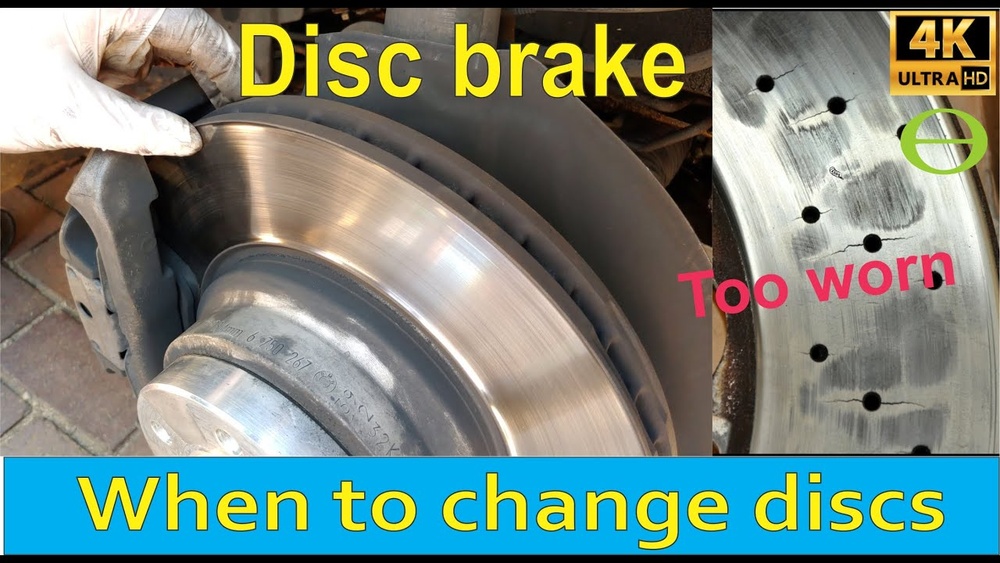
Have you ever felt a strange vibration or heard a squealing sound when you press your brakes? These could be signs that your brake rotors are worn and need attention.
Knowing how to tell if your brake rotors are worn is crucial for your safety and your car’s performance. You’ll discover simple ways to check your rotors, understand the warning signs, and learn why ignoring these signals can cost you more than just money.
Keep reading to protect yourself and your vehicle before it’s too late.
Credit: www.wagnerbrake.com
Common Signs Of Worn Brake Rotors
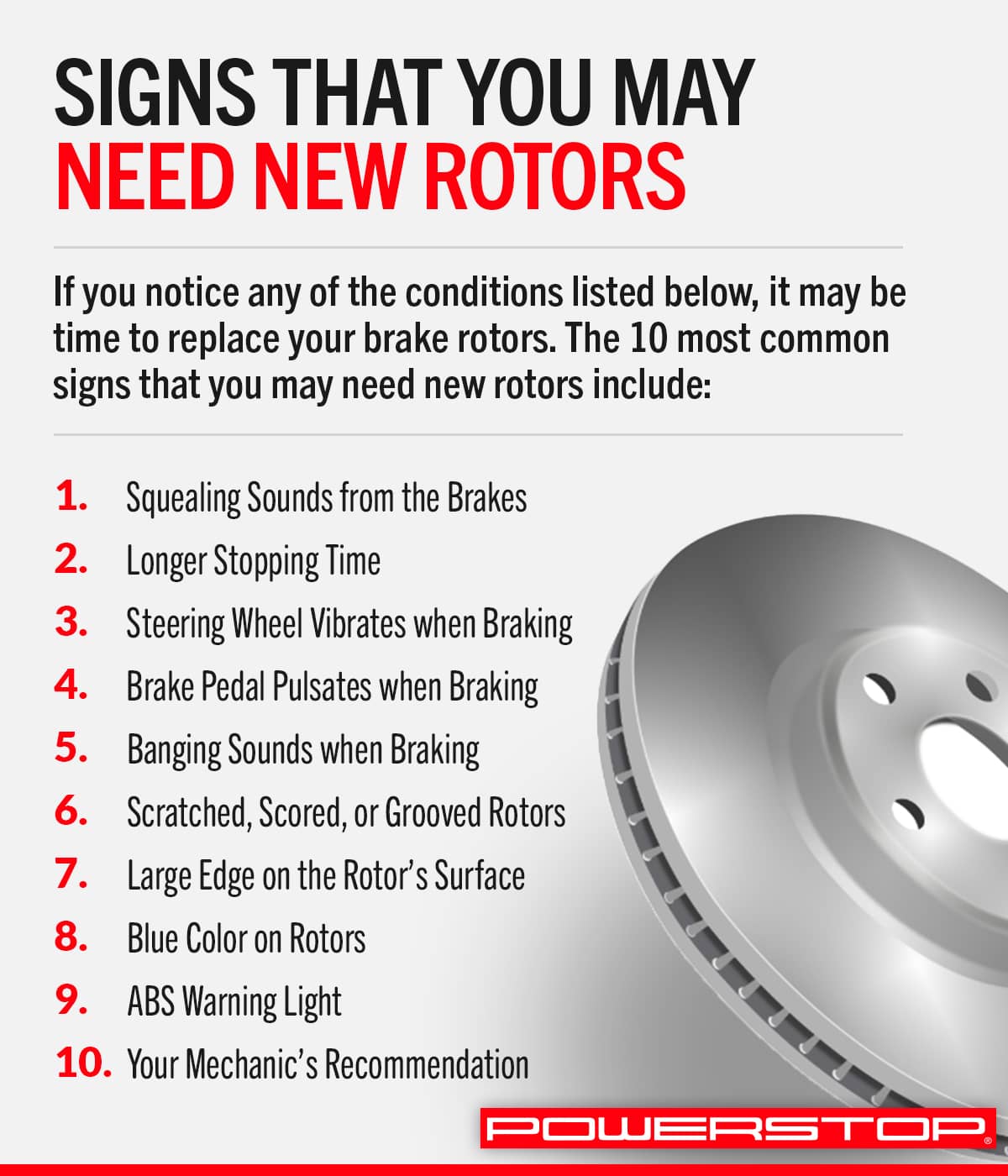
Worn brake rotors can cause serious safety problems. Recognizing the common signs early helps you fix issues before they get worse. Brake rotors wear down over time due to heat and friction. This wear affects how your vehicle stops and feels during braking.
Below are some clear signs that show your brake rotors may need attention.
Vibrations During Braking
Feeling a shake or vibration in the steering wheel or brake pedal is common. This happens because worn rotors become uneven. The brake pads can’t grip smoothly. The result is a pulsing or wobbling sensation while stopping.
Unusual Noises
Squealing, grinding, or scraping sounds mean trouble. These noises often come from rotors that are scored or warped. The brake pads rub against damaged metal surfaces. This creates loud and unpleasant sounds during braking.
Visible Rotor Damage
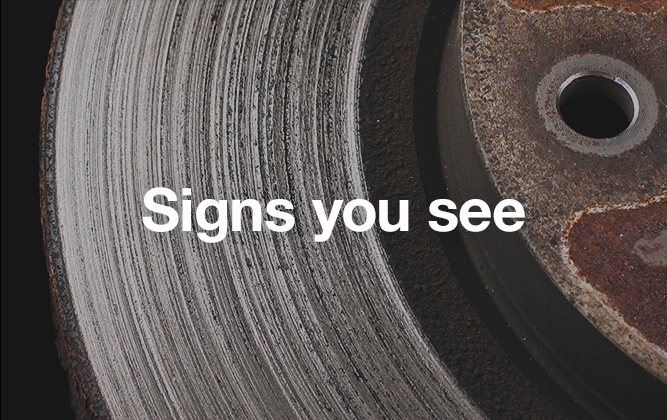
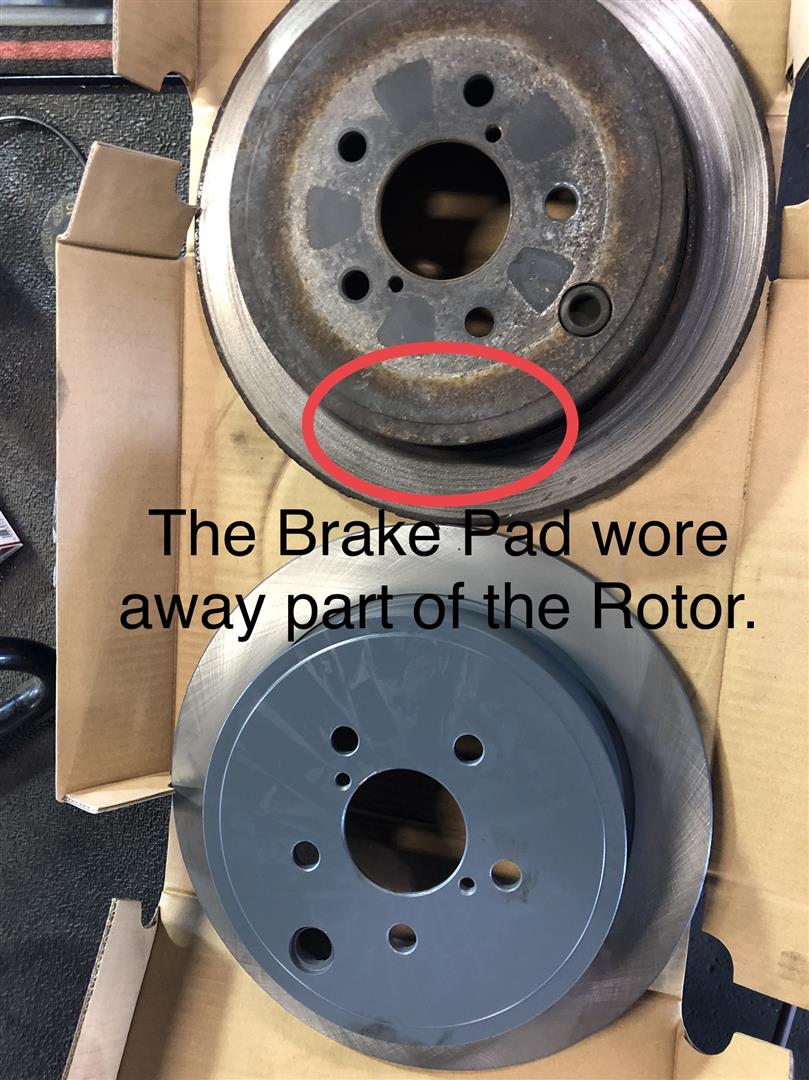
Look at the rotors through the wheels. Deep grooves, cracks, or rust spots show damage. These signs mean the rotors are worn thin or uneven. Damaged rotors reduce braking power and should be replaced.
Brake Pedal Issues
A brake pedal that feels soft or sinks to the floor signals a problem. Worn rotors can cause uneven braking pressure. This makes the pedal feel spongy or less responsive. It can make stopping unsafe.
Visual Inspection Tips
Visual inspection of brake rotors helps spot wear before it causes problems. This simple check can save money and increase safety. Learn what signs to watch for and how to find them.
Checking Rotor Thickness
Measure the rotor’s thickness with a micrometer or caliper. Compare the number to the minimum thickness in the vehicle manual. Thin rotors may crack or warp easily. Replace rotors that are too thin to keep brakes safe.
Identifying Grooves And Scoring
Look closely at the rotor surface. Deep grooves or scoring lines show wear from brake pads. These marks reduce braking power and cause noise. Smooth rotors ensure better contact with pads and safer stops.
Spotting Rust And Corrosion
Check for rust patches or corrosion on the rotor edges and face. Rust weakens the metal and causes uneven braking. Light surface rust can be cleaned, but heavy corrosion means replacement. Clean and smooth rotors improve braking performance.
Performance Changes To Notice
Noticing changes in your vehicle’s braking performance can signal worn brake rotors. These changes affect how safely and quickly your car stops. Pay close attention to any shift in braking behavior. Early detection helps prevent bigger problems and keeps driving safe.
Reduced Braking Efficiency
Your brakes may feel less strong than before. Pressing the pedal might not slow the car as quickly. This happens because worn rotors reduce friction needed for stopping. You might need to push the pedal harder to stop the vehicle.
Longer Stopping Distances
The space your car needs to stop may grow. Roads that were safe before might now seem risky. Longer stopping distances mean more chance of accidents. Worn rotors cause this by not gripping the brake pads well.
Brake Fade And Overheating
Brakes can get hot and lose power after use. This is called brake fade and happens with worn rotors. You may notice the pedal feels soft or less responsive. Overheating can damage other brake parts and reduce safety.
Credit: www.ricksautoservice.org
Tools To Diagnose Rotor Wear
Knowing the right tools helps you check brake rotors correctly. Tools show if rotors are thin, bent, or damaged. Using these tools can save money and keep driving safe. Each tool has a clear job in diagnosing rotor wear.
Using A Micrometer
A micrometer measures the rotor’s thickness with great accuracy. This tool shows if the rotor is too thin to use. Thin rotors can cause brake problems and need replacing. Simply place the micrometer on the rotor surface and read the number.
Measuring Runout
Runout means the rotor surface is uneven or wobbly. You can measure runout with a dial indicator tool. Attach the dial indicator near the rotor edge and slowly rotate the wheel. The tool shows any side-to-side movement, which means the rotor is bent.
Professional Brake Inspection
Brake experts use special tools and skills to check rotors. They can find hidden issues you might miss. Professionals also check brake pads, calipers, and other parts. Visiting a mechanic ensures your brakes work well and safely.
When To Replace Or Resurface Rotors
Knowing when to replace or resurface brake rotors is key to safe driving. Rotors wear down with use, affecting braking performance. This section explains how to decide between replacing and resurfacing rotors. It covers thickness limits, costs, and safety issues.
Manufacturer Thickness Limits
Each rotor has a minimum thickness set by the maker. This number is stamped on the rotor or in the car manual. If rotors are thinner than this limit, they must be replaced. Resurfacing removes material and lowers thickness. This can make rotors unsafe if they are close to the limit. Always check thickness before resurfacing.
Cost Considerations
Resurfacing costs less than buying new rotors. It involves machining the rotor surface to remove grooves or warping. Replacement rotors cost more but last longer. Sometimes, resurfacing is not worth it if rotors are very worn. Comparing costs helps decide the best option for your budget.
Safety Implications
Worn rotors reduce braking power and increase stopping distance. Thin rotors can crack or overheat easily. Resurfacing can fix minor damage but may weaken the rotor. New rotors provide better safety and performance. Always prioritize safety over cost when choosing between replacing or resurfacing rotors.
Credit: www.powerstop.com
Frequently Asked Questions
How Can I Visually Check If Brake Rotors Are Worn?
Look for grooves, cracks, or uneven wear on the rotor surface. Rust buildup or discoloration also indicates wear. If rotors appear thin or warped, replacement is necessary to maintain safe braking performance.
What Noises Indicate Worn Brake Rotors?
Squealing, grinding, or scraping sounds during braking often signal worn rotors. These noises mean the rotor surface is damaged or the brake pads are unevenly contacting the rotor. Prompt inspection can prevent further damage.
Can Worn Brake Rotors Cause Vibration While Braking?
Yes, worn or warped rotors cause brake pedal or steering wheel vibrations. This happens because uneven rotor surfaces create inconsistent friction. Timely rotor resurfacing or replacement ensures smooth and safe braking.
How Often Should Brake Rotors Be Inspected?
Inspect brake rotors every 12,000 miles or during routine brake pad changes. Frequent checks help catch wear early and extend rotor life. Professional inspection ensures accurate assessment and safe braking.
Conclusion
Worn brake rotors can cause noise and poor braking. Check for grooves, cracks, or vibrations when braking. Thin or damaged rotors need replacement to keep you safe. Regular inspections help spot problems early. Taking care of your brakes protects you and others on the road.
Stay alert to signs of wear and act quickly. Good brake maintenance keeps your car running smoothly. Don’t ignore warning signs; safety matters most.

